Managing calibrations
Once you have one or more calibrations (stirring, pumps, OD), you can set which one is active, export it, edit it, or share it.
Using calibrations in experiments
Calibrations are applied automatically whenever a device has an active calibration. For OD readings, that means future experiments will use the post-calibration values in the UI and database.
To change which calibration is active, visit the Calibrations page, select the calibration you want, and choose Set active. Only one calibration can be active per device on a Pioreactor at a time. You can disable calibrations by clearing the active calibration for that device.
Managing calibrations in the UI
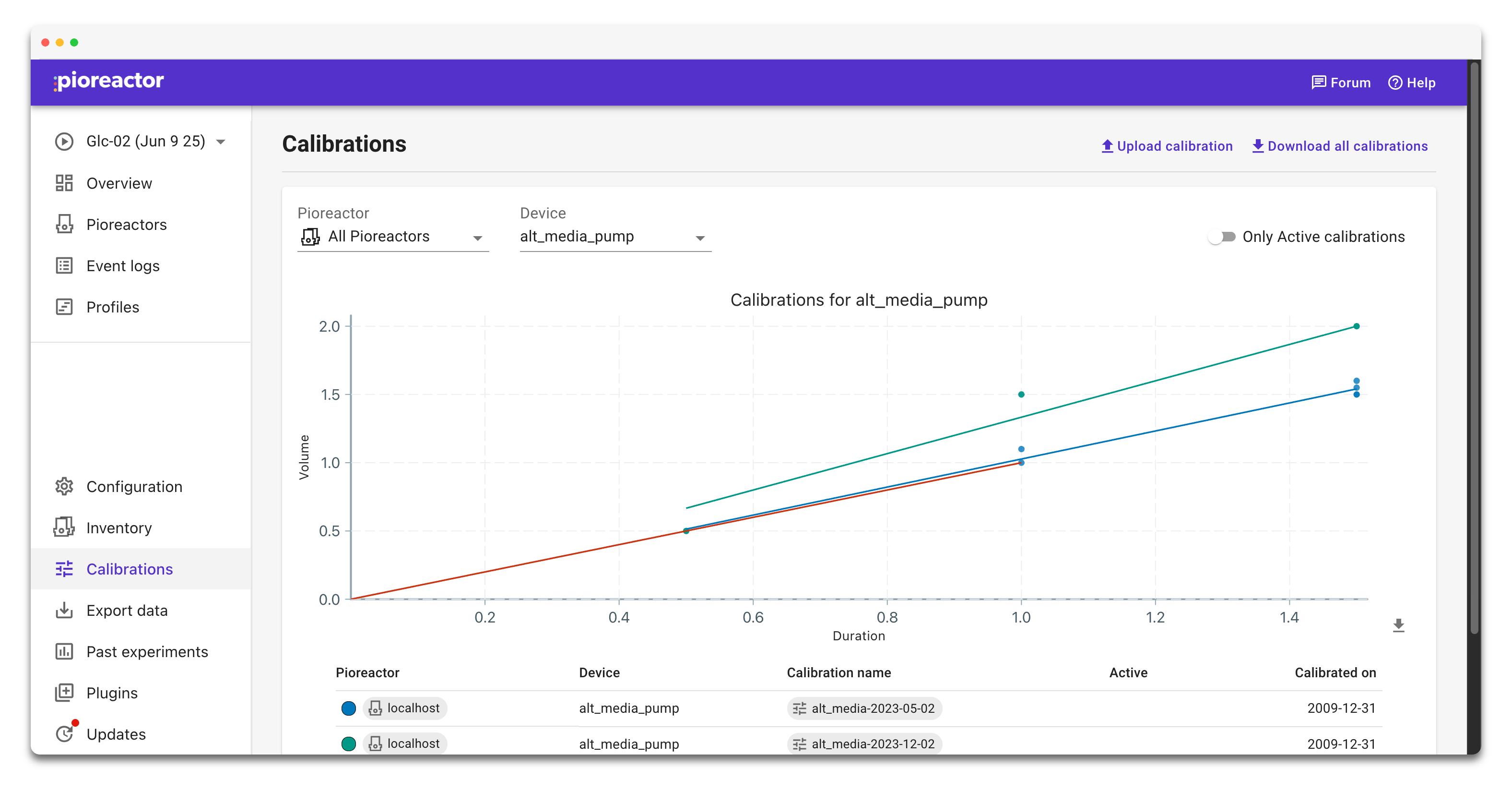
- Use the
PioreactorandDevicefilters at the top of the Calibrations page to focus on a specific unit and hardware type. Toggle Only Active calibrations to hide everything except the curve currently in use. - Click any calibration row to open its detail view. Use Set active to mark that calibration as the one the Pioreactor will use for that device (only one calibration can be active per device per Pioreactor). Use Set inactive to clear it and disable calibration for that device.
- The chart in both the list view and detail view has a download icon. Click it to export a PNG of the calibration curve for lab notes. The top-level Download all calibrations button grabs all calibration YAML files for backup.
- To edit a calibration, open its detail view and choose View YAML. Make small changes, save the YAML, and re-upload it via Upload calibration (or edit the YAML on-disk and use
pio calibrations displayto confirm before setting it active).
Managing calibrations from the command line
- List what you have with
pio calibrations listor scope to a single device withpio calibrations list --device <device>. - Set which calibration is active with
pio calibrations set-active --device <device> --name <calibration_name>. Omit--nameto clear the active calibration for that device.
Editing and sharing calibrations
Calibrations are saved as YAML files on your Pioreactor. You can edit these files directly on the command line or in the UI.
If you want to re-analyze an OD calibration dataset, use:
pio calibrations analyze --device od --name <name of your calibration>
Since the calibrations are just YAML files, you can easily share existing calibrations to other Pioreactors.